
How to Use Cummins QuickServe to Find Parts (Step-by-Step Guide)
Finding the right parts for Cummins engines used to mean flipping through thick paper catalogs or calling distributors. That changed when Cummins introduced QuickServe, an online system that puts engine specifications and parts information at your fingertips.
This guide walks you through the entire process, from setting up your account to locating the exact part number you need.
What Is Cummins QuickServe and Why It Matters
QuickServe is Cummins’ official online platform for accessing engine data, parts catalogs, and service information. Think of it as a digital library specifically built for Cummins engines—one that knows exactly what parts fit your specific unit.
The platform serves fleet managers, mechanics, and parts distributors who need accurate information quickly. Here’s what you can do with it:
- Find genuine parts by entering your engine serial number
- Access service manuals and maintenance schedules
- View detailed engine diagrams that show how components connect
The main advantage over traditional methods is precision. When you search by Engine Serial Number (ESN), QuickServe pulls up the exact configuration of your engine, not generic results that might not apply to your specific build.
For more background on Cummins service resources, you can visit the official Cummins Service and Support page.
What You Need Before Using QuickServe
Before you start, make sure you have these three things ready:
1. Cummins Engine Serial Number (ESN)
This is a unique identifier stamped on every Cummins engine. Without it, you’ll get general results that may not match your actual engine configuration.
2. Registered QuickServe account
You’ll need to create a free account on the QuickServe Online platform. Some advanced features require paid access, but basic parts lookup is available to all registered users.
3. Internet connection
QuickServe is web-based, so you’ll need stable internet access to use it effectively.
One common mistake is trying to search without the ESN. While the system allows searches by engine model, the results won’t be as accurate. If your parts don’t fit after ordering, the missing ESN was usually the reason.
How to Register for a Cummins QuickServe Account
If you don’t have an account yet, the registration process takes about five minutes.
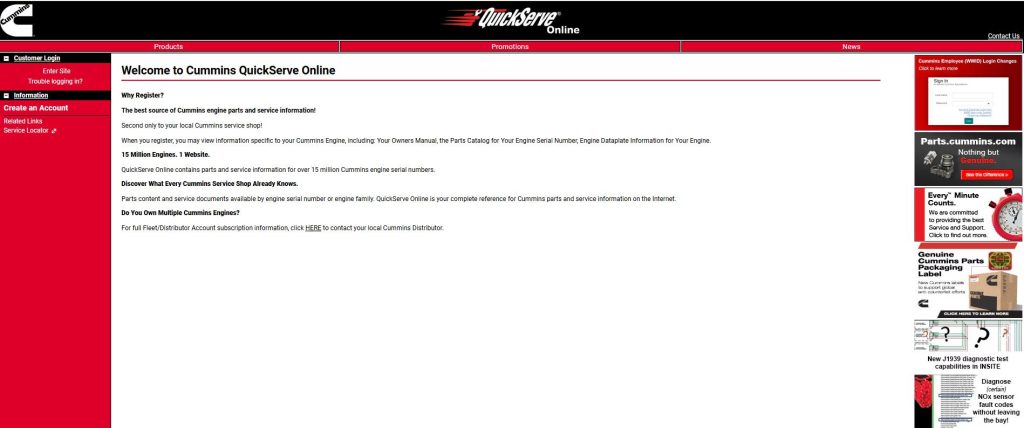
Step 1 – Visit the Official QuickServe Website
Go to quickserve.cummins.com. Make sure you’re on the official Cummins domain—there are third-party sites with similar names that aren’t connected to Cummins’ database.
Step 2 – Create an Account
Click the “Register” or “Create Account” button. You’ll need to provide:
- Business name and contact information
- Email address (this becomes your username)
- Physical address
Cummins may ask for additional verification if you’re registering as a commercial user or distributor.
Step 3 – Log In and Access Dashboard
After your account is approved (usually within 24 hours), log in with your email and password. The dashboard shows several options—”Parts Catalog,” “Service Information,” and “Engine Data” are the main ones you’ll use.
Note on free vs. paid features: Basic parts lookup and engine specifications are free. Advanced features like full service manuals and diagnostic procedures may require a subscription, depending on your user type.
Step-by-Step: How to Find Parts Using Cummins QuickServe
Step 1 – Enter Your Engine Serial Number (ESN)
After logging in, look for the search bar at the top of the dashboard. This is where you’ll enter your ESN.
Where to find the ESN on your engine:
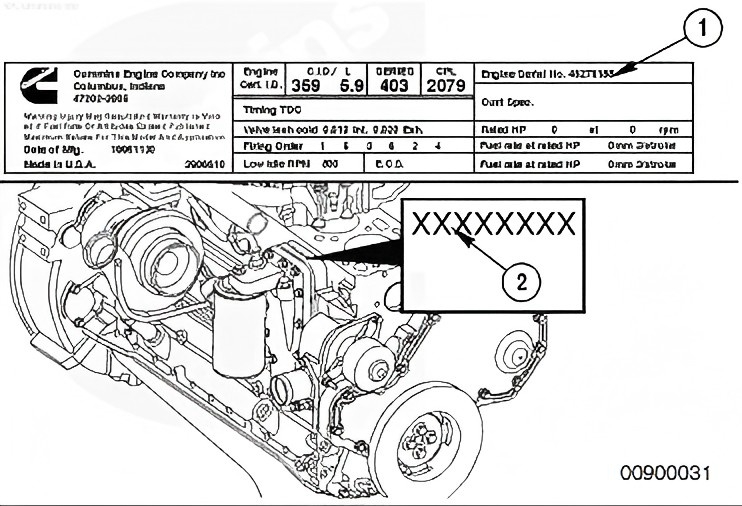
The serial number is usually stamped on a metal plate attached to the engine block. Common locations include:
- Right side of the engine block (near the fuel pump)
- On the rocker cover
- Near the engine data plate
The ESN typically contains 8 digits, though some newer models use alphanumeric codes. Enter it exactly as shown, including any letters.
Step 2 – Access the Engine Overview Page
Once you enter the ESN and click “Search,” QuickServe loads a detailed overview page for your specific engine. This page shows:
- Engine model and build date
- Rated horsepower and torque specifications
- Original equipment configuration
- Service history (if available)
This information confirms you’re looking at the right engine. Double-check the model and build date against your records before moving forward.
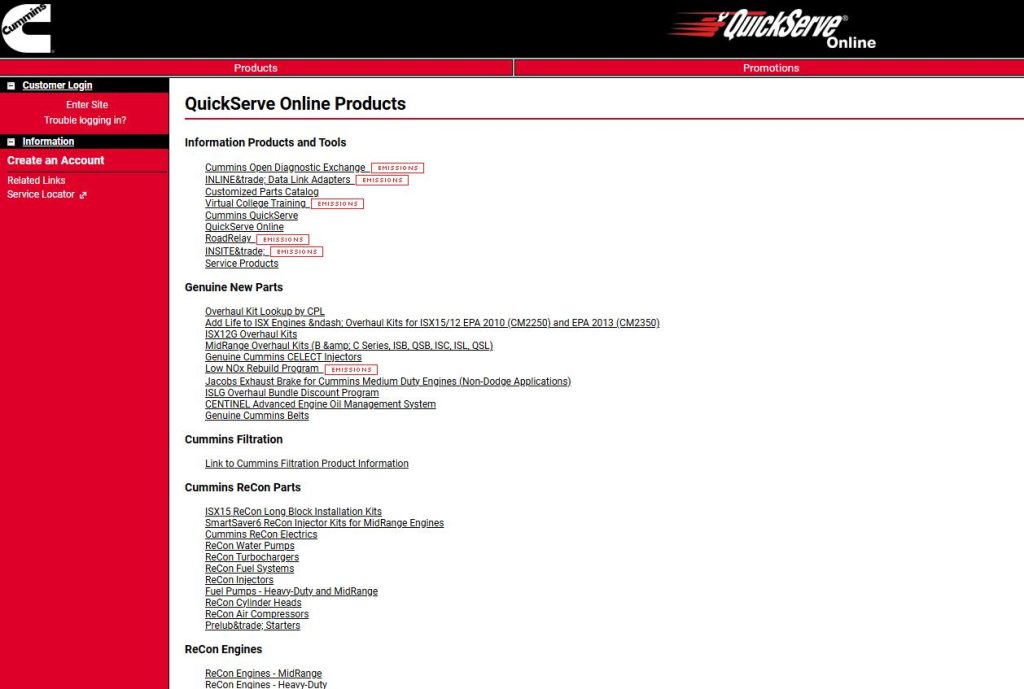
Step 3 – Navigate to the Parts Catalog
On the engine overview page, find the “Parts Catalog” tab or link. Click it to open the interactive parts system.
You’ll see a list of component groups:
- Fuel system
- Cooling system
- Air intake
- Exhaust
- Lubrication
- Engine block and internal components
Click the group that contains the part you need. For example, if you’re looking for a fuel injector, select “Fuel System.”
Step 4 – Identify the Correct Part Number
Once you select a component group, QuickServe displays a diagram showing all parts in that system. Each part has a numbered callout that links to its description and part number.
Here’s how to navigate the diagram:
- Zoom in and out using the controls (usually a magnifying glass icon)
- Click on numbered callouts to see detailed information
- Read the part description carefully—some components look similar but have different specs
Pay attention to the notes section. QuickServe often includes information like “superseded by part number XYZ” or “used only on engines built before 2018.” These details matter when ordering.
Step 5 – Download or Save Parts Information
After identifying the part you need, you have several options:
- Copy the part number to your clipboard
- Add to cart if QuickServe integrates with Cummins’ ordering system
- Export to PDF for your records
- Screenshot the diagram for reference when installing
Many users keep a digital folder of commonly needed parts for their fleet. This saves time during future searches.
How to Use QuickServe Without ESN (Alternative Method)
Sometimes you don’t have access to the ESN—maybe the plate is worn off, or you’re researching before purchasing an engine. QuickServe offers a workaround, though it’s less precise.
Search by engine model:
Instead of entering an ESN, select “Browse by Model” from the main menu. You’ll choose from dropdown menus:
- Engine family (B-series, C-series, ISX, etc.)
- Specific model (ISX15, QSB6.7, etc.)
- Rating and year range
This method works for common maintenance items like filters and belts, which are standardized across many builds. Cummins produces thousands of engine variations. Even within the same model, there are different builds depending on application, emission standards, and customer specifications. Searching by model gives you a general parts list, but it may include components that weren’t on your specific engine. For internal engine parts or fuel system components, you really need the ESN to avoid ordering incorrect parts.
Tips to Get Accurate Results Faster
After using QuickServe regularly, you’ll develop shortcuts. Here are a few that experienced users recommend:
Always verify the ESN before searching
It takes 30 seconds to walk to the engine and confirm the number. That beats ordering the wrong part and waiting for a return.
Double-check part numbers against physical components
If you’re replacing a part, compare the part number on QuickServe with the number stamped on your old component. Superseded parts sometimes cause confusion.
Use diagrams instead of keyword searches
Typing “water pump” into the search bar might return multiple options. Using the diagram ensures you’re looking at the pump specific to your engine’s cooling system design.
Bookmark frequently used engines
QuickServe allows you to save engine profiles. If you manage a fleet of 20 trucks, bookmark each ESN so you can jump straight to the parts catalog without re-entering numbers.
Is Cummins QuickServe Worth Using?
If you work with Cummins engines regularly, QuickServe becomes an essential tool pretty quickly. The time savings alone justify the learning curve, and the accuracy prevents expensive ordering mistakes.
Who should rely on it daily:
- Fleet maintenance managers coordinating repairs across multiple vehicles
- Diesel mechanics who need fast access to specifications
- Parts departments handling regular orders
Who might not need it:
If you only own one Cummins engine and rarely need parts, keeping your distributor’s number handy might be simpler. But even casual users benefit from having an account set up for those occasional emergencies.The platform isn’t perfect—there’s a learning curve, and the interface could be more intuitive. But once you understand how to navigate the system, it’s hard to imagine going back to phone calls and guesswork.